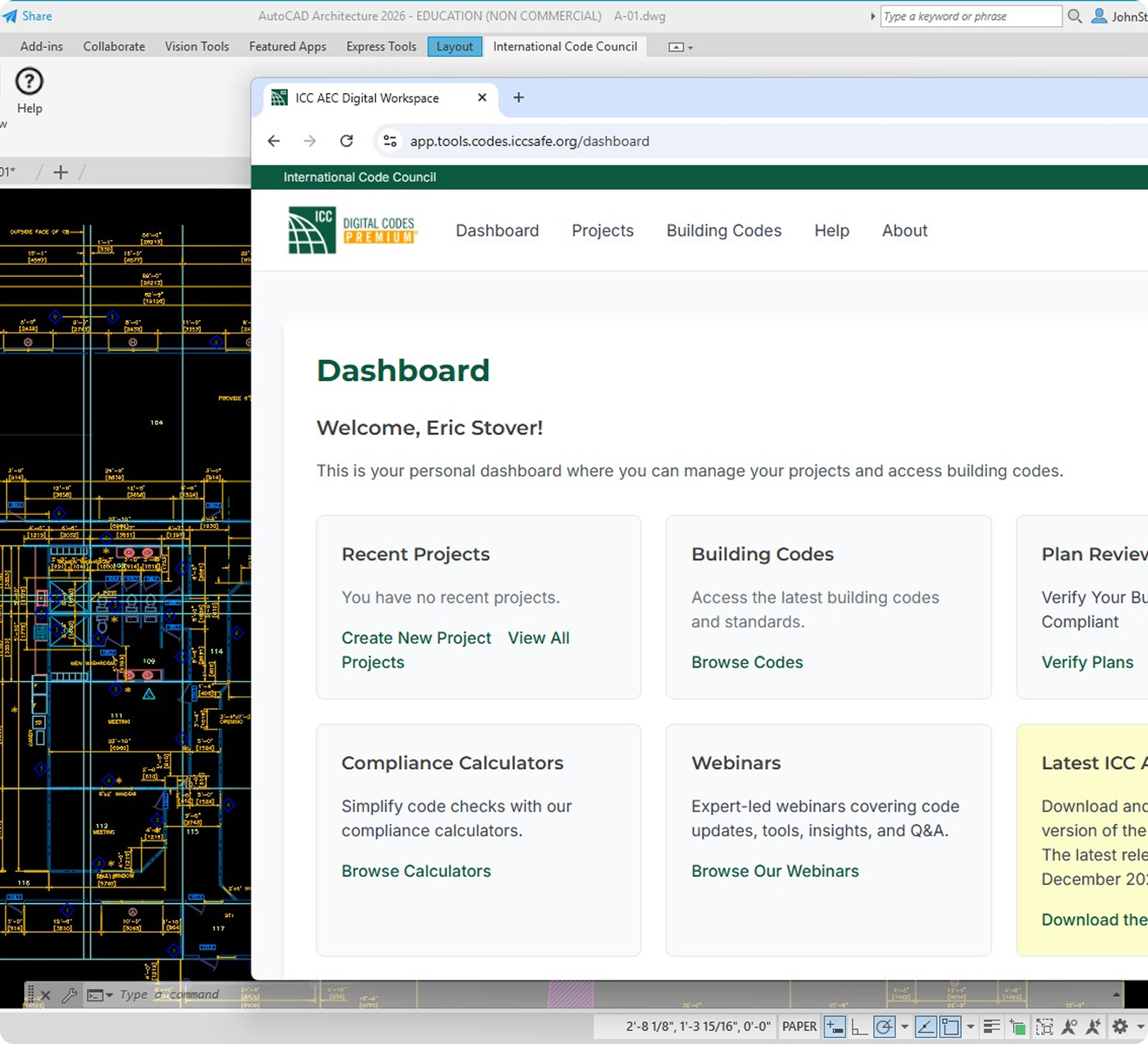
ICC Digital Codes Premium AutoCAD® Add-In

Your Building Codes.
Right Inside AutoCAD

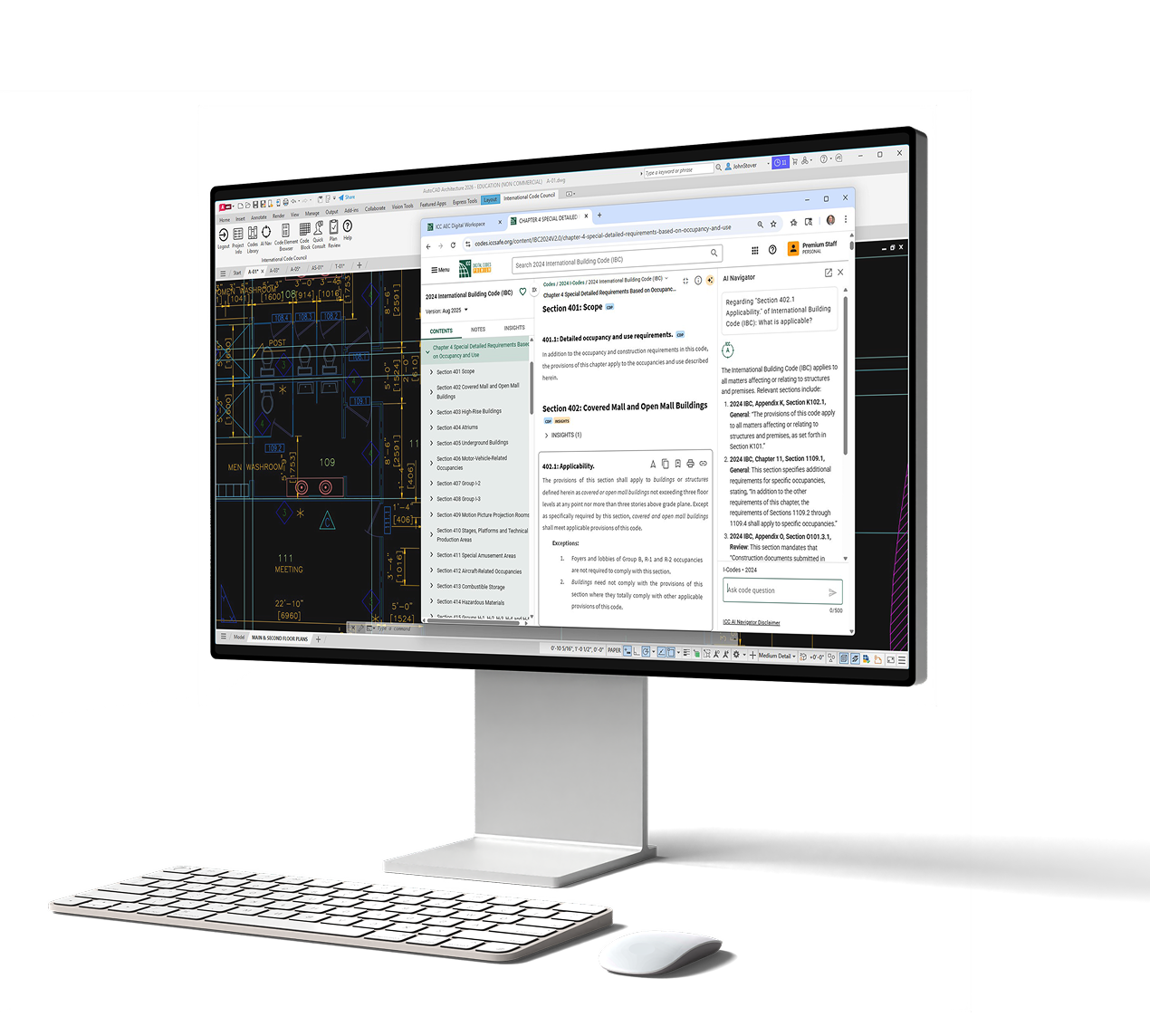
Stay focused on design while keeping code guidance within reach. The ICC Digital Codes Premium AutoCAD® Add-In brings authoritative code access directly into your drafting environment—so your team can design faster, document more accurately, and submit with confidence.
autocad_hero

Smarter Workflows for Every Professional on the Project

Whether you're producing construction documents, coordinating systems, or managing permit submittals, code compliance belongs inside your workflow—not outside it.

Architects & Production Teams:

Produce Documents Right the First Time

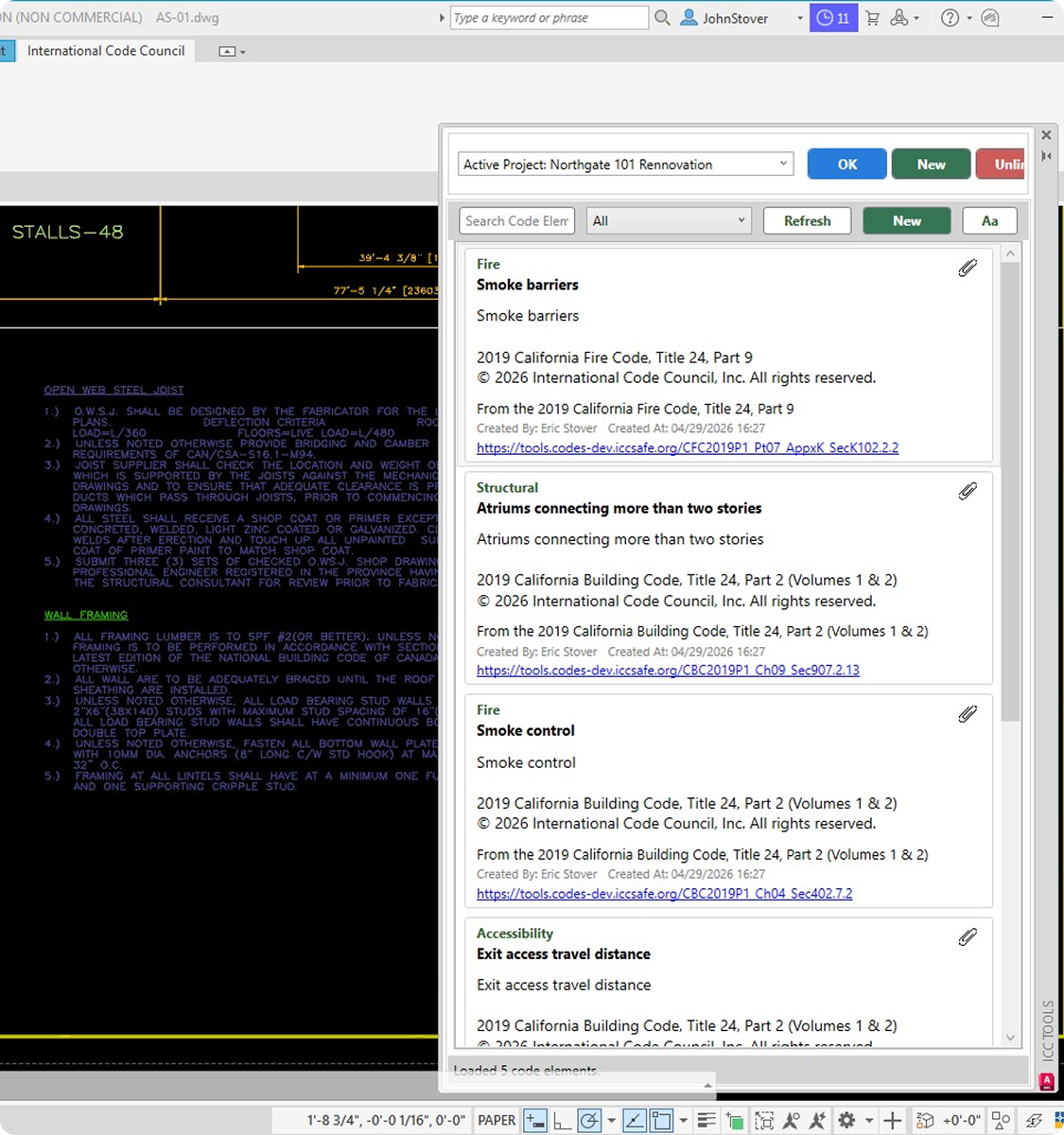
Code research shouldn't pull you away from your drawings. With the ICC Digital Codes Premium AutoCAD™ Add-In, search and verify requirements as you work—floor plans, elevations, details, permit sets—and embed the exact code language your team needs directly into your documentation process.

Engineers:

Verify System Requirements Without Leaving Your Layout

Don't wait until coordination review to catch a code conflict. Quickly look up MEP, structural, and referenced standards requirements while you're actively working on plans, sections, and layouts—and keep your deliverables aligned with what the code actually requires.

Interior Designers:

Confirm Occupancy and Accessibility Requirements Instantly

Accessibility, occupancy classifications, finish requirements—the details that matter most to your clients and reviewers. Access the governing code language in real time as you develop your design documents, so your submittals reflect total compliance from the start.

Detailers & Consultants:

Keep Every Sheet Grounded in Authoritative Code

When your role is to produce precise, coordinated construction documents, code accuracy isn't optional. Use trusted ICC references while drafting annotations, callouts, and detail sheets—ensuring every note is backed by the source your reviewers trust.

Built for Real AutoCAD Workflows

The ICC Digital Codes Premium AutoCAD® Add-In is designed to integrate seamlessly into the tools your team already uses—including full support for AutoCAD Toolsets.

  • Supported Toolsets:

    Architecture · MEP · Mechanical · Electrical · Plant 3D · Map 3D

  • Compatible Versions:

    AutoCAD® 2025, 2026, 2027

  • Operating System:

    64-bit Windows® 10 or Windows® 11

autocad

Backed by 3,000+ I-Codes, commentaries, and referenced standards from the International Code Council—the most trusted source for building safety content in the industry.

Frequently Asked Questions

Find answers to what matters most when getting started

Does this Add-In work directly inside AutoCAD?

Yes. The ICC Digital Codes Premium AutoCAD® Add-In is designed to integrate directly into your AutoCAD workspace. You access code content through a built-in panel—no browser required.

Is this only for architects?

Not at all. The Add-In supports architects, structural and MEP engineers, interior designers, detailers, production teams, consultants, and public agencies—any professional who creates or reviews construction documents in AutoCAD.

Does it work with AutoCAD Toolsets?

Yes. The Add-In supports the Architecture, Mechanical, Electrical, MEP, Plant 3D, and Map 3D Toolsets.

What content is included?
Subscribers access 3,000+ ICC codes, commentaries, and referenced standards based on their subscription level—including I-Codes from 2015 through the current edition.
Do I need a separate subscription, or is this part of Premium?
The AutoCAD® Add-In is a Premium feature. It is available to all active ICC Digital Codes Premium subscribers at no additional cost.
Can teams across multiple offices use this?
Yes. Enterprise options for ICC Digital Codes Premium are available for firms and organizations of all sizes. Contact us to learn about team and enterprise licensing.